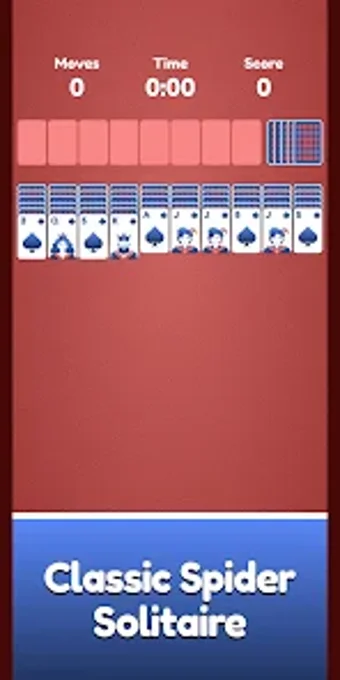
A focused, readable Spider Solitaire for relaxed Android play
Plays classic Spider Solitaire with a single-suit deck and standard descending runs, using tap or drag-and-drop controls for each move. SocialLoop presents this Android card app as a pared-back, distraction-free experience, emphasising offline play, a high-contrast interface, and performance on mobile devices. The app tracks moves and time, offers unlimited Undo and a Reset option, and fits casual players and solitaire fans who prefer short, readable sessions without complex menus.
What the game asks you to do and how the core loop works
In this game, you arrange cards into descending sequences to clear the board. The app uses a 104-card layout and follows classic Spider rules where completed King-to-Ace runs remove themselves; clearing eight runs wins a game. You deal new rows from the deck when possible, and the board requires empty columns to be filled before tapping the deck to deal a new row.
How controls, feedback, and pacing shape play
Inside standard sessions, the app accepts both taps and drag-and-drop for moving stacks and single cards. It shows a real-time move counter and elapsed timer so you can measure efficiency. An unlimited Undo lets you revert choices and replay sequences, and a Reset button restarts the current layout or begins a fresh shuffle, which makes experimentation and short replays straightforward.
Presentation, performance, and replay drivers
In this game, the interface uses a clean, high-contrast design intended for easy readability on phones and tablets. The app runs offline and is billed as lightweight, which supports smooth play across Android hardware. Replayability comes from reshuffles and the option to replay the same deal, and the absence of menus keeps sessions compact and focused on card play rather than settings.
Recommended for casual players who want short, calm solitaire sessions
Spider matches players who want straightforward card play, quick restarts, and no network dependency; the move counter and timer suit those tracking personal improvement. User reception highlights a clean, ad-light presentation, so the app favours players who prioritise readability and uninterrupted sessions. Players seeking multiple suit variants or varied rule sets should expect a narrowly focused single-suit experience instead.